
Mobile App vs. Desktop Software: When Each Format Serves You Better

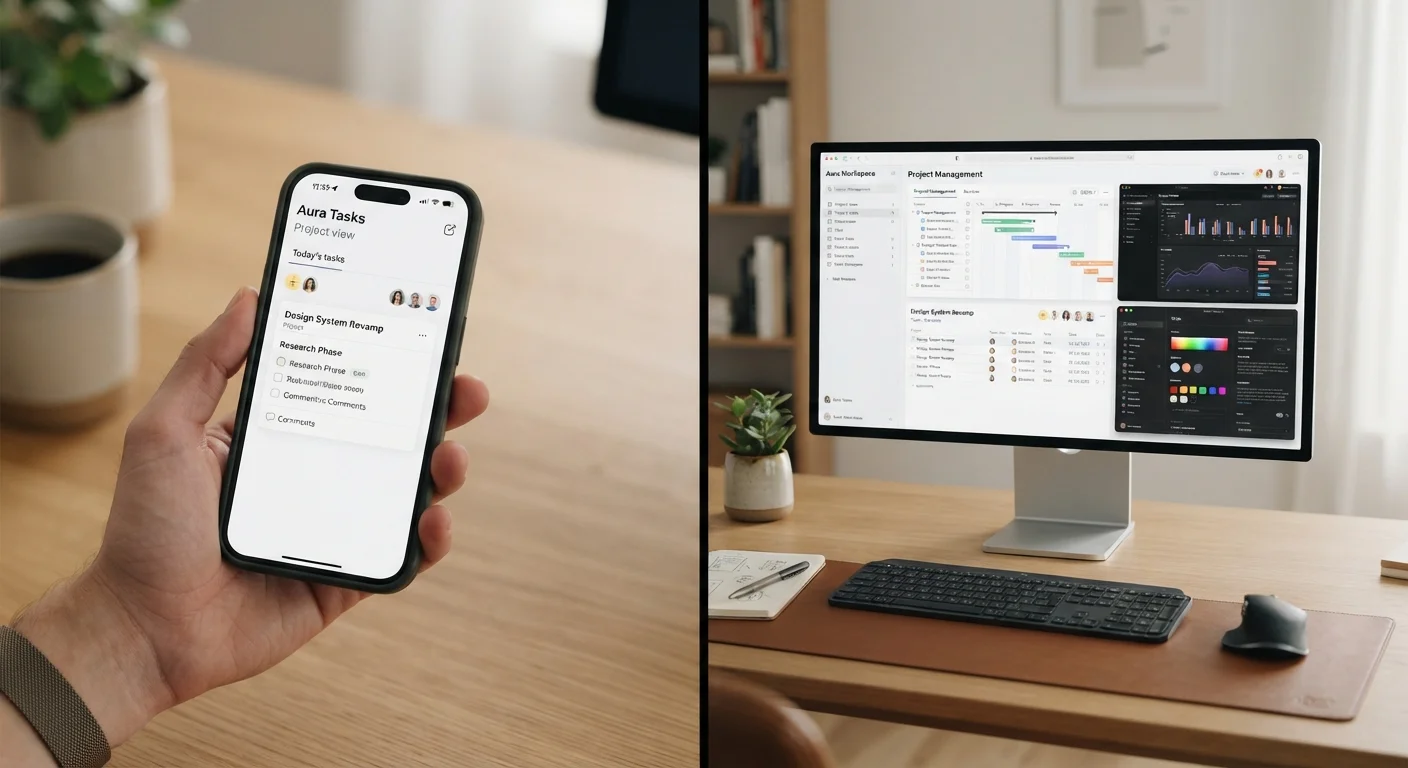
Photo: InsightsVilla.com | Quick Search. Right Info editorial
Key Takeaways
- Mobile apps excel at quick, on-the-go tasks that benefit from touch input and location awareness.
- Desktop software handles complex, multi-step work more efficiently thanks to larger screens and full keyboards.
- Many services offer both formats - knowing which to use depends on the task, not just preference.
- Battery life, file size, and offline access are practical factors that often tip the decision.
- Neither format is universally superior - context is what determines the right tool.
Why the Format You Use Actually Matters
Most people reach for whichever screen is closest - but that habit isn't always efficient. The format a task is performed on shapes how long it takes, how accurately it gets done, and how much cognitive effort it demands. A spreadsheet built on a phone takes roughly twice as long as one built on a desktop. Meanwhile, pulling up a boarding pass on a laptop while standing at a gate is clearly the wrong tool for the moment.
Understanding how mobile apps and desktop software differ - not just in interface, but in underlying capability - helps you make faster, less frustrating choices throughout the day. For a broader look at how the underlying platforms shape app experiences, see our guide on Android and iOS differences.
Where Mobile Apps Have a Real Advantage
Mobile apps are purpose-built for short interactions. They load quickly, live on a device you carry everywhere, and take advantage of hardware that desktops simply don't have - GPS, accelerometers, cameras, and cellular connectivity. That hardware integration is why navigation, mobile payments, fitness tracking, and quick photography all feel natural on a phone and awkward anywhere else.
Touch input also lowers the barrier for casual use. Scrolling through a news feed, responding to a message, or checking a bank balance requires almost no setup time. Mobile apps also tend to send push notifications, which matters when real-time awareness is part of the task.
Check Whether the Mobile Version Is Fully Featured
Offline capability is another underappreciated strength. Many well-designed mobile apps store data locally and sync when a connection is available - useful for travel, commuting, or spotty coverage areas. If you want to make more of your phone's capabilities, managing app clutter is a practical place to start.
Where Desktop Software Pulls Ahead
Desktop software earns its place for tasks that require sustained attention, precise control, or handling large volumes of data. A physical keyboard dramatically speeds up text entry - a meaningful difference when writing a long document, building a budget, or editing code. A larger monitor lets you keep multiple windows in view simultaneously, which reduces the cognitive tax of switching contexts.
Processing power is also a factor. Video editing, audio production, CAD design, and data-heavy analysis tasks still run faster and more stably on desktop-class hardware. Desktop applications also tend to offer more granular settings and advanced features that mobile versions strip out to simplify the interface.
| Mobile App | Desktop Software | |
|---|---|---|
| Best session length | Short interactions (under 15 min) | Extended work sessions (30+ min) |
| Input method | Touch, voice, camera | Keyboard, mouse, trackpad |
| Hardware integration | GPS, sensors, camera, NFC | Larger storage, full CPU/GPU power |
| Feature depth | Often streamlined | Typically full-featured |
| Portability | Always with you | Tied to a desk or laptop |
| File management | Limited and cumbersome | Robust and familiar |
File management is another area where desktop software maintains a clear edge. Moving, renaming, and organizing files across folders remains cumbersome on mobile, while desktop operating systems were built around that workflow from the start. For a related distinction between how apps are delivered, see our explainer on native apps vs. web apps.
Making the Call: A Practical Framework
When deciding which format to use, a few questions cut through the uncertainty quickly. First, how long will this task take? If you expect to spend more than 15-20 minutes, a desktop environment usually reduces strain and increases accuracy. Second, do you need to be mobile? If the task is tied to a physical location - navigating, scanning a QR code, attending an event - a phone is the only sensible choice.
Third, how much precision does the task demand? Approving an expense report is fine on a phone; building the underlying spreadsheet probably isn't. Finally, consider whether the mobile version is full-featured. Many services offer trimmed-down mobile apps that omit settings and tools available on desktop. It's worth checking before assuming the phone version can do everything. You can also learn more about what's actually changing under the hood when software updates push through in our guide on app updates explained.
There's also a common set of assumptions worth setting aside - for example, the idea that mobile apps are always less secure or always less capable. Our piece on smartphone app myths addresses several of those directly.
~55%
Share of global web traffic from mobile devices
StatCounter data consistently shows mobile devices accounting for the majority of global internet traffic, though desktop still dominates for longer sessions.
4-5 hrs
Average daily smartphone screen time for U.S. adults
Research from data analytics firms including App Annie and Sensor Tower has tracked U.S. adult mobile usage in this range in recent years.
The content on this site is for informational purposes only and is not a substitute for professional advice. Always consult a qualified professional for guidance specific to your situation.