
Free vs. Paid App Tiers: What You're Actually Getting With Each

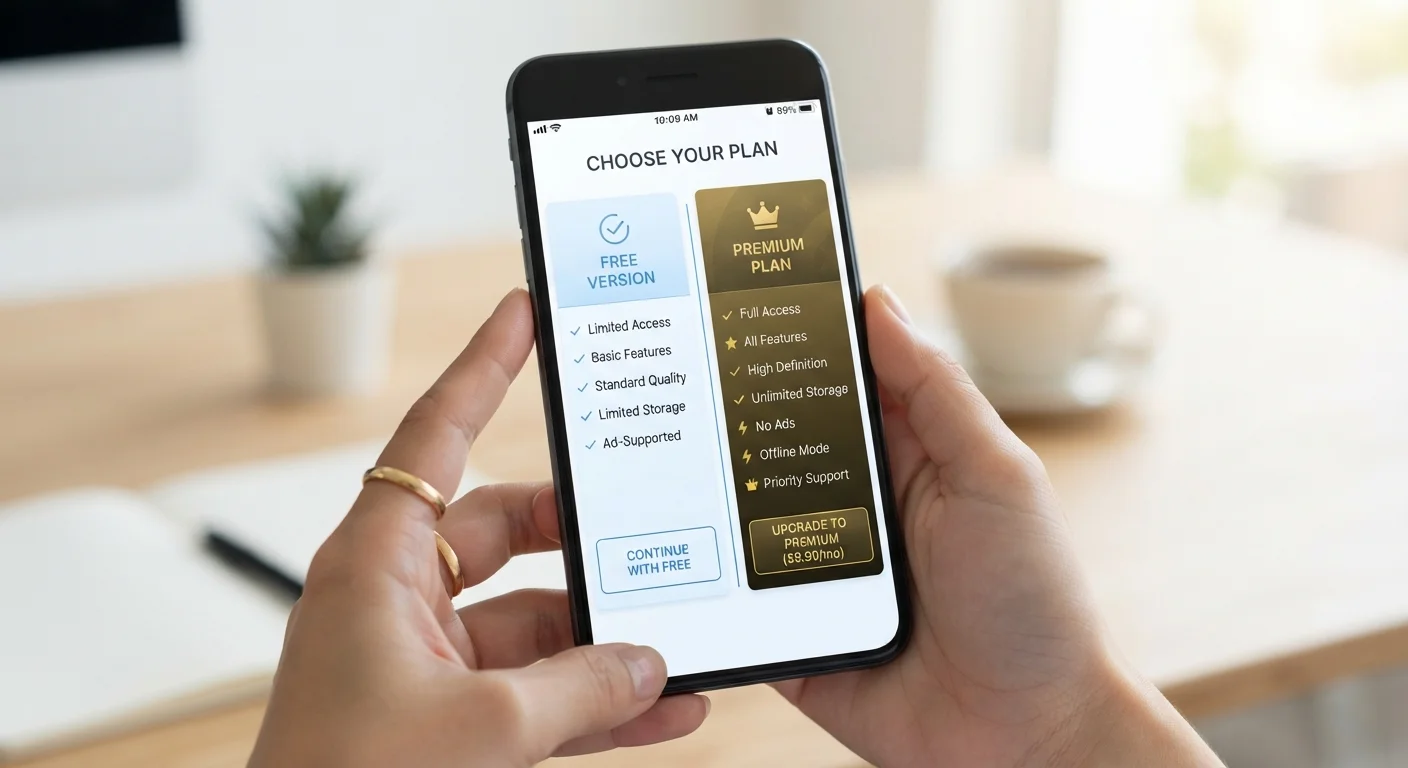
Photo: InsightsVilla.com | Quick Search. Right Info editorial
Key Takeaways
- Free app tiers often come with ads, data collection, or feature restrictions that limit their usefulness.
- Paid tiers take three main forms: freemium upgrades, recurring subscriptions, and one-time purchases - each with different trade-offs.
- Subscription models generate ongoing revenue for developers but can accumulate into significant monthly costs for users.
- One-time purchase apps provide permanent access but may receive fewer long-term updates than subscription counterparts.
- Evaluating how often you use an app is the most reliable way to judge whether a paid upgrade is worthwhile.
How App Pricing Models Work
When you browse an app store, most apps fall into one of three pricing structures: fully free, freemium (free with paid upgrades), or paid upfront. Each model reflects a different business strategy - and a different set of trade-offs for you as the user.
Fully free apps are typically supported by advertising revenue or by selling anonymized user data to third parties. You pay nothing upfront, but the app's business model depends on your attention or your information. App permissions are worth reviewing here, since free apps sometimes request broader data access to support this model.
Freemium apps offer a usable base layer at no cost, with a paid upgrade unlocking additional capabilities. This is now the dominant model in mobile apps, used widely in productivity, fitness, and entertainment categories.
Paid upfront or one-time purchase apps require payment before download or at first launch. These have become less common on mobile but remain prevalent in desktop software and certain utility categories.
| Free Tier | Freemium Upgrade | Subscription | One-Time Purchase | |
|---|---|---|---|---|
| Upfront cost | None | None (upgrade costs vary) | None upfront | Fixed fee |
| Ongoing cost | None monetary | None after upgrade | Monthly or annual fee | None after purchase |
| Ads | Usually present | Typically removed | Typically removed | Typically absent |
| Feature access | Limited | Full or expanded | Full, often updated | Full at time of purchase |
| Long-term update support | Variable | Variable | Strong (revenue-funded) | Limited over time |
| Best for | Occasional use | Moderate regular use | Daily power users | Stable, predictable tools |
What Free Tiers Actually Offer - and Take Away
A free tier is rarely without cost - the currency is just less obvious. Common limitations built into free tiers include:
- Ads: Banner, video, or interstitial ads interrupt the experience and can slow performance.
- Feature caps: Export limits, storage ceilings, or restricted access to core tools nudge users toward upgrading.
- Data monetization: Some apps generate revenue by sharing usage patterns or behavioral data with advertising networks.
- Reduced support: Free users typically receive lower-priority customer service than paying subscribers.
That said, free tiers are genuinely useful for low-frequency tasks. If you need a PDF scanner once a month or a basic photo editor for occasional use, a free tier usually covers the need without justification for spending more.
Audit Your App Spending Periodically
Subscriptions vs. One-Time Purchases: A Real Comparison
Within paid app tiers, the distinction between subscriptions and one-time purchases matters more than most users realize.
Subscription apps charge monthly or annually and typically offer cloud sync, cross-device access, and regular feature additions. From the developer's side, recurring revenue funds ongoing development. From your side, costs compound - a $4.99/month app costs roughly $60 per year, and multiple subscriptions add up quickly. It's also worth understanding how subscription billing works before signing up, since cancellation isn't always as simple as it appears.
One-time purchase apps grant permanent access for a flat fee. They're predictable in cost but may receive fewer updates over time, since the developer earns no ongoing revenue from existing customers. Some developers handle this by releasing major new versions as separate paid purchases rather than free upgrades.
If you use an app every day, a subscription often makes financial and practical sense. If your usage is occasional or the feature set is stable, a one-time purchase - or even the free tier - may serve you just as well. The update cadence of an app can also inform this decision: frequently updated tools tend to justify subscription pricing more than static utilities.
Making the Decision: A Practical Framework
Before upgrading - or paying for any app - these questions help clarify whether the cost is justified:
- How often do I use this app? Daily use almost always justifies a paid tier. Weekly or less often, free may suffice.
- Which locked features do I actually need? Audit the upgrade page honestly. Many premium features are optional, not essential.
- What is the total annual cost? Convert monthly prices to yearly figures and weigh them against your actual usage.
- Does the free tier compromise my privacy or experience in a meaningful way? If ads are intrusive or data sharing concerns you, that changes the calculus.
App pricing also varies by platform - Android and iOS handle app purchases differently, including how subscriptions are managed and canceled through each platform's billing system. Knowing which platform you're on affects where to look if you ever need to manage or cancel a subscription.
The bottom line: treat app spending like any other recurring expense. Audit your subscriptions periodically, and don't pay for access you're not actively using.
The content on this site is for informational purposes only and is not a substitute for professional advice. Always consult a qualified professional for guidance specific to your situation.