
Screen Time: What the Data Your Phone Collects About You Actually Reveals

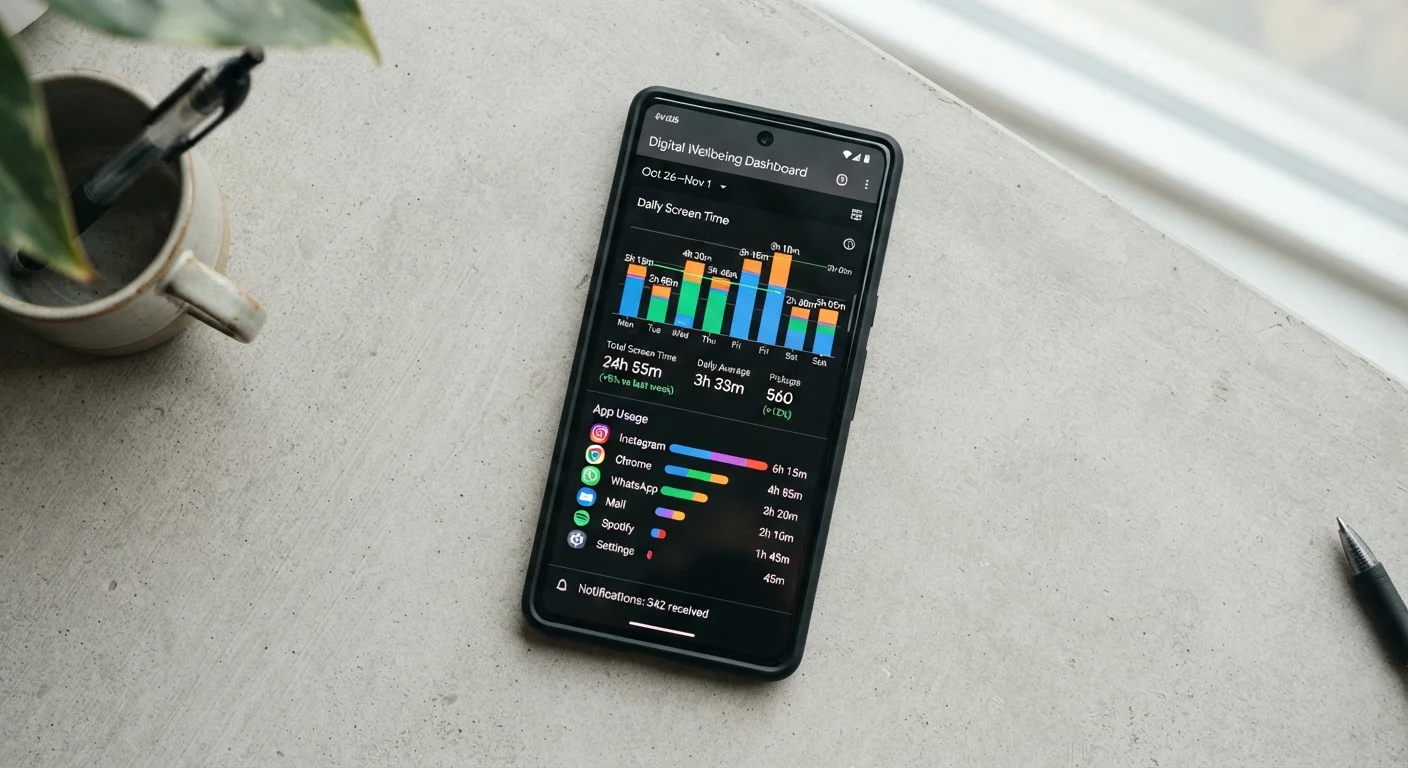
Photo: InsightsVilla.com | Quick Search. Right Info editorial
What Screen Time Dashboards Actually Track
Both iPhone (Screen Time) and Android (Digital Wellbeing) collect granular data about your phone habits automatically - no setup required. The dashboards go well beyond a simple total-hours count.
Here's what the data actually captures:
- App-by-app usage: Exact minutes spent in each app, broken down by day or week.
- Pickups: How many times you unlocked or raised your phone, and which app you opened first each time.
- Notifications received: Which apps sent alerts and how frequently - giving you a picture of what's competing for your attention.
- Categories: Apps are grouped (Social, Entertainment, Productivity, etc.) so you can see where time concentrates at a glance.
- Website visits: On iPhone, Safari browsing time is included; on Android, Chrome usage appears in the breakdown.
This data lives on your device by default. Understanding what it shows is the first step to making it useful rather than just guilt-inducing.
Reading Your Data: Patterns Worth Paying Attention To
Raw numbers rarely tell the full story. The more revealing insights come from patterns and ratios.
4+ hrs
Average daily U.S. smartphone screen time
Reported across multiple mobile analytics firms tracking Android and iOS usage patterns.
96x
Average daily phone pickups
Figures from screen time tracking studies suggest most users pick up their phone roughly 80-100 times per day.
~50%
Share of usage attributed to social and entertainment apps
Category breakdowns from aggregated Screen Time and Digital Wellbeing data consistently show social and entertainment dominating totals.
First-open habits
The app you reach for immediately after picking up your phone is a strong behavioral signal. If it's email or a news feed every single morning, that's a habitual response - not necessarily a deliberate choice. Your pickup data makes this visible.
Notification-to-use ratio
If an app sends you 40 notifications a day but you only open it for 3 minutes, it's interrupting you far more than it's serving you. That imbalance is worth acting on - most notification settings can be adjusted per-app in your phone's system settings.
Category imbalance
Screen time categories let you see whether your phone use aligns with your intentions. Heavy Entertainment totals alongside very low Productivity totals might be fine - or it might not match how you'd describe your phone habits to yourself.
Peak usage windows
Both platforms show when during the day you're most active. Late-night spikes, for instance, can affect sleep quality - though how you respond to that information is a personal decision.
For context on how app behavior connects to battery patterns, see how background app activity drains your battery.
What Screen Time Data Does - and Doesn't - Tell You About Privacy
Screen time dashboards are tools built by your phone's operating system. They're distinct from the data apps themselves collect and share with third parties - which is a separate, broader concern.
Screen Time Reports vs. App Data Collection
Your screen time report won't tell you:
- What data individual apps have sent to their servers
- Whether advertisers have built a profile based on your in-app behavior
- What permissions each app is actively using in the background
For a full picture of what apps are actually accessing, understanding app permissions is a natural next step. And for the broader question of your digital trail, see what your digital footprint includes.
Screen time data is also separate from phone security fundamentals like lock screen settings, software updates, and phishing awareness - though all of these form part of the same picture of how you use and protect your device.
Screen Time
Apple's built-in iOS feature that tracks app usage, pickups, and notifications. It also allows users to set app limits and schedule downtime.
Digital Wellbeing
Google's equivalent feature on Android devices, providing usage dashboards, app timers, and a Focus Mode to reduce interruptions.
Pickup
Each instance of a user waking, unlocking, or raising their phone to active use. Dashboards track both the count and the first app opened.
App timer
A user-set daily limit for a specific app. Once the limit is reached, the app icon is grayed out as a soft reminder - users can choose to override it.
Downtime
A scheduled period during which only selected apps and calls are accessible. Useful for limiting late-night or mealtime phone use.
The content on this site is for informational purposes only and is not a substitute for professional advice. Always consult a qualified professional for guidance specific to your situation.