
The Pros and Cons of Letting Apps Access Your Contacts

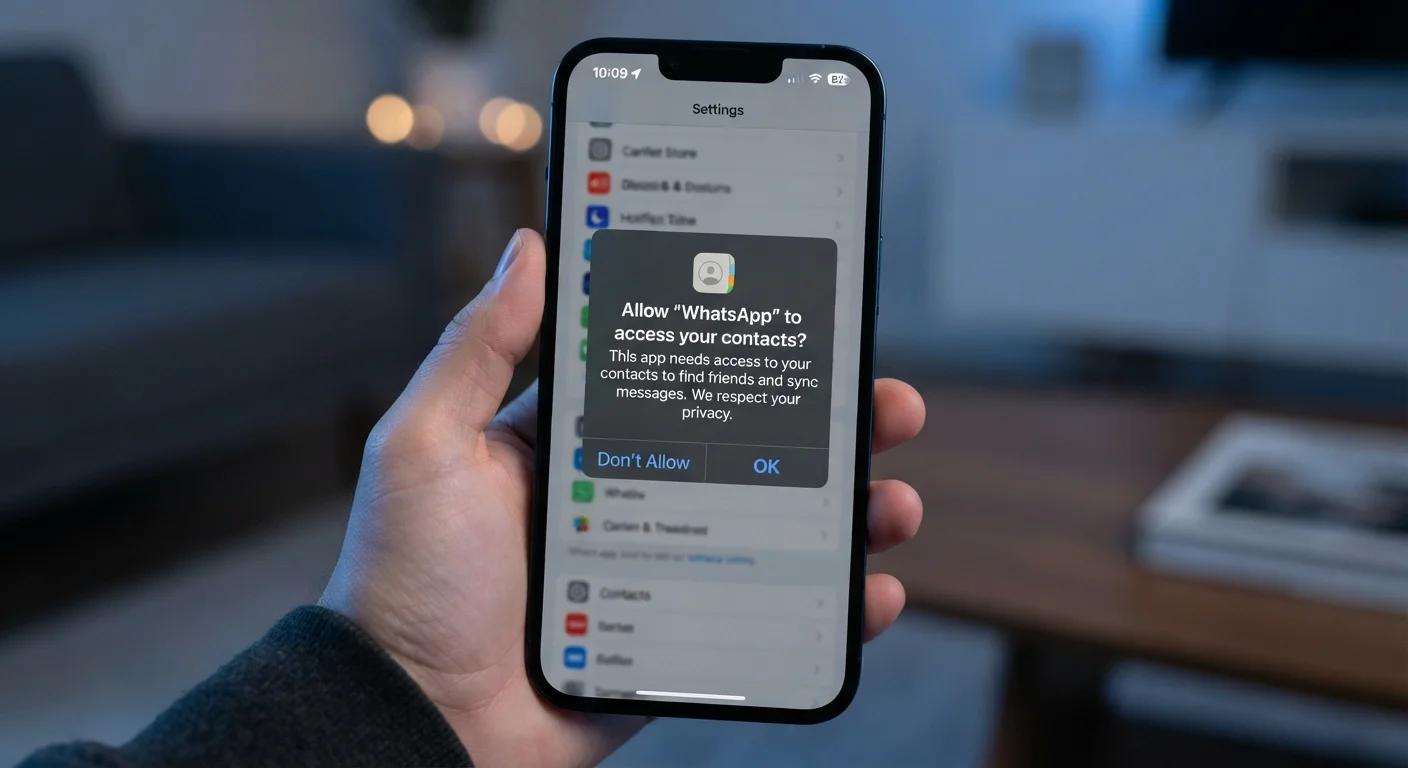
Photo: InsightsVilla.com | Quick Search. Right Info editorial
Key Takeaways
- Contacts access enables useful features like friend-finding and auto-fill, but carries real privacy trade-offs.
- Your address book contains data about people who never consented to share their information.
- Both iOS and Android let you review and revoke contacts permissions at any time in settings.
- Denying contacts access rarely breaks an app's core functionality.
- Third-party apps may share or sell contact data to advertisers and data brokers.
Enables friend-finding features in social apps
Apps like messaging platforms can match your contacts against their user base to show who you already know, making it easier to connect without manually searching usernames.
Powers auto-fill for calls, messages, and forms
With contacts access granted, apps can suggest names and numbers as you type, reducing friction and the chance of misdialing or misspelling an address.
Supports faster onboarding in communication tools
VoIP and messaging apps can automatically populate your contact list so you can start using the service immediately rather than re-entering everyone manually.
Improves caller ID and spam detection accuracy
Some phone and dialer apps cross-reference your contacts to flag unknown numbers or confirm known ones, which can help you decide whether to answer unfamiliar calls.
Allows sharing contacts directly within apps
Collaboration and productivity tools often let you invite teammates or share contact cards without leaving the app, which is only possible if the app can read your address book.
Exposes data of people who never consented
Everyone listed in your contacts has their name, number, or email shared when you grant access - without their knowledge or agreement. This raises ethical questions beyond your own privacy.
Data may be shared with advertisers or third parties
App privacy policies sometimes permit contact data to be shared with advertising partners or sold to data brokers, turning your address book into a marketing asset. Policies vary widely and are not always easy to parse.
Increases risk in the event of a data breach
If an app's servers are compromised, any contact data it stored could be exposed. Breaches involving contact lists have been reported across multiple app categories in recent years.
Rarely essential for core app functionality
Many apps request contacts access as a convenience or for optional features rather than because the app cannot function without it. Denying the permission often has no meaningful impact on the experience.
Creates persistent data profiles even after deletion
Once an app has uploaded or processed your contacts, deleting the app does not necessarily delete the data from the company's servers. Retention practices differ by developer and are governed by their privacy policy.
What Contacts Access Actually Means
When an app requests permission to access your contacts, it is asking to read the names, phone numbers, email addresses, and sometimes notes or photos stored in your phone's address book. Depending on the app and platform, it may also request the ability to write new entries or delete existing ones.
Critically, your contacts list is not just your data. It contains information about friends, family members, and colleagues who never agreed to share their details with any app. This makes contacts one of the more ethically complex permissions a smartphone can grant. For a broader look at what each permission category covers, see what app permissions actually mean.
Read-Only vs. Read-Write Access
The Pros: Why Contact Access Can Be Worth It
There are legitimate, practical reasons why apps request this permission - and many of the benefits are ones users actively want.
Enables friend-finding features in social apps
Apps like messaging platforms can match your contacts against their user base to show who you already know, making it easier to connect without manually searching usernames.
Powers auto-fill for calls, messages, and forms
With contacts access granted, apps can suggest names and numbers as you type, reducing friction and the chance of misdialing or misspelling an address.
Supports faster onboarding in communication tools
VoIP and messaging apps can automatically populate your contact list so you can start using the service immediately rather than re-entering everyone manually.
Improves caller ID and spam detection accuracy
Some phone and dialer apps cross-reference your contacts to flag unknown numbers or confirm known ones, which can help you decide whether to answer unfamiliar calls.
Allows sharing contacts directly within apps
Collaboration and productivity tools often let you invite teammates or share contact cards without leaving the app, which is only possible if the app can read your address book.
The Cons: Privacy and Security Risks to Consider
The downsides of granting contacts access extend beyond your own privacy and can have implications for everyone in your address book.
Exposes data of people who never consented
Everyone listed in your contacts has their name, number, or email shared when you grant access - without their knowledge or agreement. This raises ethical questions beyond your own privacy.
Data may be shared with advertisers or third parties
App privacy policies sometimes permit contact data to be shared with advertising partners or sold to data brokers, turning your address book into a marketing asset. Policies vary widely and are not always easy to parse.
Increases risk in the event of a data breach
If an app's servers are compromised, any contact data it stored could be exposed. Breaches involving contact lists have been reported across multiple app categories in recent years.
Rarely essential for core app functionality
Many apps request contacts access as a convenience or for optional features rather than because the app cannot function without it. Denying the permission often has no meaningful impact on the experience.
Creates persistent data profiles even after deletion
Once an app has uploaded or processed your contacts, deleting the app does not necessarily delete the data from the company's servers. Retention practices differ by developer and are governed by their privacy policy.
79%
Americans concerned about how companies use their data
According to Pew Research Center survey data on American attitudes toward privacy and technology.
Top 3
Most-requested smartphone permissions by apps
Contacts, location, and camera rank among the most commonly requested permissions according to mobile security research.
How to Manage Contacts Permissions on Your Device
Both iOS and Android give users direct control over which apps can read their contacts. On iPhone, go to Settings → Privacy & Security → Contacts to see every app that has requested access and toggle each one individually. On Android, navigate to Settings → Privacy → Permission Manager → Contacts for a similar overview.
It is worth auditing this list periodically. You may find apps you no longer use still holding access, or apps whose need for contacts is not obvious. Revoking access from these apps rarely affects their core function - a photo editor or a flashlight tool has no genuine need for your address book. The pattern of apps quietly holding permissions they don't need is related to the same background activity discussed in how apps drain your phone battery.
If you are concerned that contact data you previously shared may have already reached third-party data brokers, understanding how data brokers operate can help you evaluate your options.
The content on this site is for informational purposes only and is not a substitute for professional advice. Always consult a qualified professional for guidance specific to your situation.