
Cloud Storage vs. Local Storage: Where Your Files Actually Live

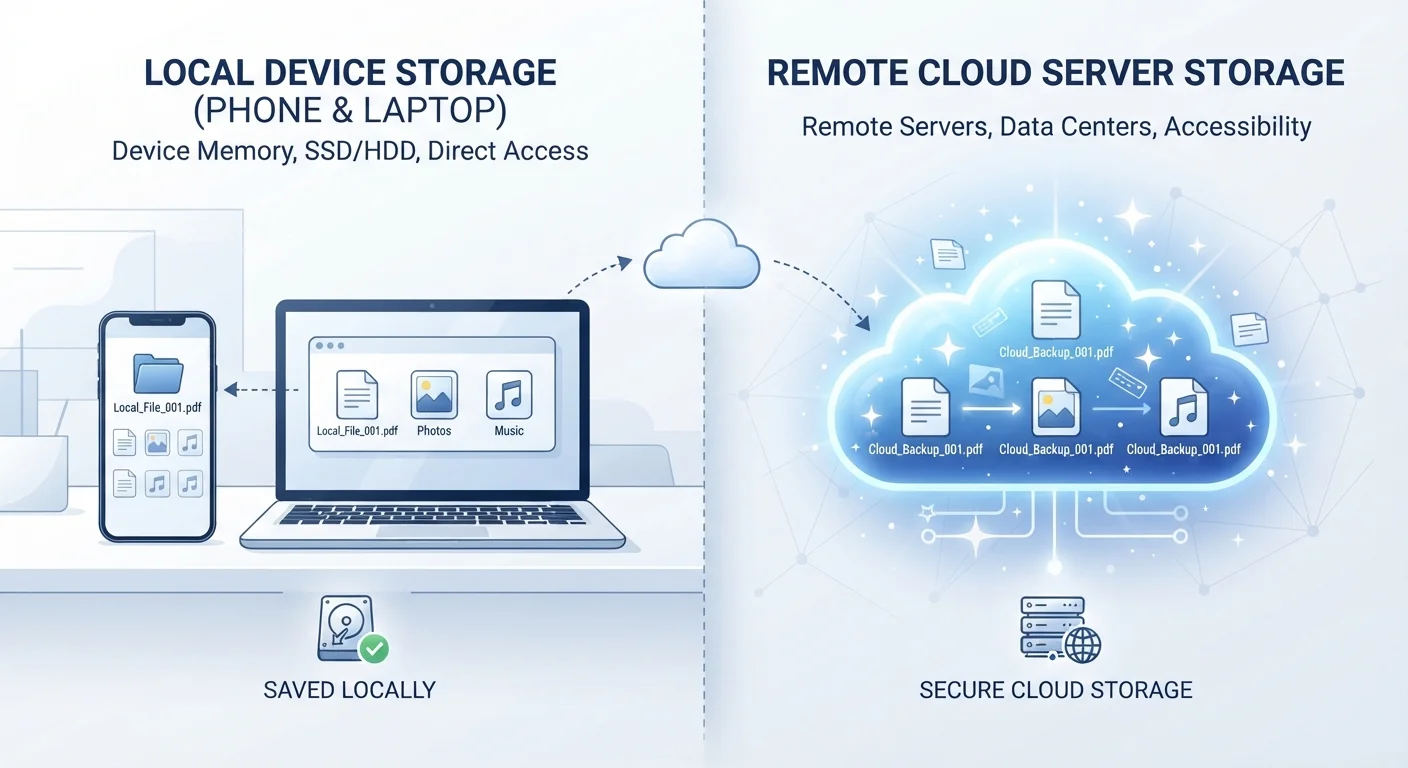
Photo: InsightsVilla.com | Quick Search. Right Info editorial
Key Takeaways
- Cloud storage saves your files on remote servers; local storage keeps them on your physical device.
- Cloud storage requires an internet connection to access files and depends on a third-party provider's security practices.
- Local storage works offline but is vulnerable to device loss, theft, or hardware failure.
- Many people use both methods together - cloud for backup, local for everyday access.
- Privacy considerations differ significantly: cloud providers may scan or process your files under their terms of service.
The Basic Difference: Where the Data Actually Sits
When you save a file to local storage, it physically lives on a chip inside your device - a hard drive, SSD, or flash memory. When you save to cloud storage, your file is transmitted over the internet and stored on servers owned and operated by a company in a data center that could be anywhere in the world.
That geography matters more than it sounds. A locally stored photo exists on your phone. A cloud-stored photo exists on someone else's computer - accessible to you via the internet, but ultimately under the custody of a provider. For a deeper look at how your device manages different kinds of storage internally, see our breakdown of storage vs. RAM.
| Criterion | Cloud Storage | Local Storage |
|---|---|---|
| Where files live | Remote servers (data centers) | Your physical device |
| Internet required | Yes, to access or sync | No |
| Multi-device access | Yes, seamlessly | Not without manual transfer |
| Privacy exposure | Governed by provider's terms | Fully under your control |
| Risk of loss | Provider failure or account loss | Device damage, theft, or failure |
| Cost model | Subscription (often tiered) | One-time hardware cost |
| Automatic backup | Yes, typically built-in | Only if manually configured |
Access, Connectivity, and Convenience
Cloud storage shines when you need the same file on different devices. Save a document on your laptop and it appears on your phone within seconds. That seamless sync is one of the main reasons cloud services have become so common - especially as people move between phones, tablets, and computers throughout the day. If you're curious how operating systems handle this differently, Android and iOS approach cloud integration quite differently.
Local storage, by contrast, is always available - no password reset, no outage, no expired subscription. If your cloud provider experiences downtime or you're on an airplane without Wi-Fi, locally stored files are still right there. That reliability is a meaningful advantage for files you depend on daily.
60%+
U.S. adults using cloud storage
According to Pew Research Center data, a majority of American adults store data in the cloud, often without fully understanding where that data resides.
30%
Users who've experienced data loss
Backblaze and similar data recovery services have consistently reported that roughly one in three computer users experiences significant data loss at some point.
Privacy, Security, and Who Controls Your Files
This is where the trade-offs get serious. Files stored in the cloud are governed by the provider's terms of service - a legal agreement most people never read in full. Depending on the provider, those terms may permit scanning files for policy violations, serving targeted advertising, or sharing data with third parties under certain conditions.
Local storage gives you direct custody. No third party can access your files unless they physically have your device or exploit a security vulnerability on it. That said, local-only storage carries its own risks: a stolen laptop or a failed hard drive can mean permanent data loss with no recovery option.
Encryption Makes a Meaningful Difference
Many security-minded users land on a hybrid approach - storing working copies locally while keeping encrypted backups in the cloud. That way, privacy is preserved for day-to-day use, and a hardware failure doesn't mean losing everything.
Cost and Capacity
Most devices ship with a fixed amount of local storage - once it's full, your options are to delete files, buy a new device, or add external storage like a USB drive or memory card. Cloud services typically offer a small amount of free storage and charge a monthly or annual fee for more capacity.
For everyday users with modest needs, free cloud tiers are often sufficient. Heavy users - such as those with large photo libraries or video files - may find that ongoing cloud subscription costs add up over time, while a one-time investment in an external hard drive offers more storage per dollar. There's no universally right answer; it depends on how much you store and how often you need it accessible.
It's also worth noting that some common assumptions about storage and apps don't hold up - more storage doesn't automatically make your device faster, for instance.
The content on this site is for informational purposes only and is not a substitute for professional advice. Always consult a qualified professional for guidance specific to your situation.