
Phishing, Smishing, and Vishing: The Scam Playbook Explained

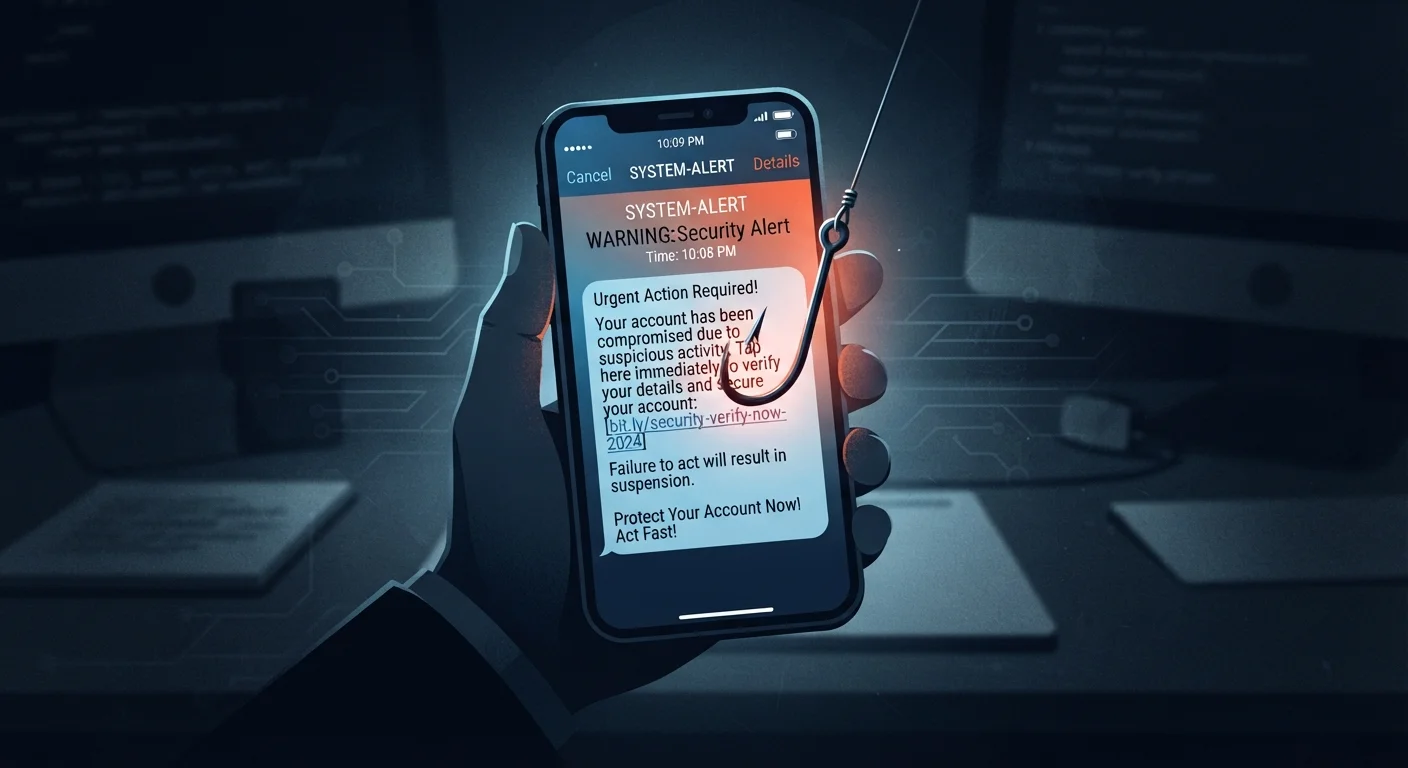
Photo: InsightsVilla.com | Quick Search. Right Info editorial
Three Channels, One Goal: Stealing Your Information
Phishing, smishing, and vishing are all variations of the same con - a bad actor impersonates a trusted source to trick you into revealing passwords, account numbers, or personal details. What separates them is the channel used to reach you.
| Phishing channel | |
| Smishing channel | SMS text message |
| Vishing channel | Voice phone call |
| Common impersonation targets | Banks, IRS, SSA, delivery services, tech support (FTC Consumer Advice) |
| Report smishing texts to | Forward to 7726 (SPAM) (FCC guidance) |
| Report fraud to the FTC | reportfraud.ftc.gov (Federal Trade Commission) |
Phishing arrives by email. Smishing comes through SMS text messages. Vishing happens over a voice call. Each exploits a different habit - our tendency to click links in email, respond quickly to texts, and trust a confident voice on the phone. Understanding all three is the first step to recognizing them before they do damage. For a broader look at keeping your device secure, see our guide to mobile security.
Phishing: The Email Con
Phishing emails are designed to look like legitimate messages from banks, government agencies, delivery services, or tech companies. They typically create a sense of urgency - your account is locked, a package couldn't be delivered, or you owe back taxes - and include a link to a fake website that harvests your credentials.
Warning signs to watch for:
- The sender's actual email address doesn't match the organization it claims to represent (e.g.,
support@amaz0n-help.net) - Generic greetings like "Dear Customer" instead of your name
- Urgent or threatening language demanding immediate action
- Links that, when hovered over, point to an unfamiliar domain
- Attachments you weren't expecting, especially .zip or .exe files
When in doubt, go directly to the organization's official website by typing it into your browser - don't click the link in the email.
Smishing: The Text Message Trap
Smishing combines "SMS" and "phishing." These scam texts often impersonate package carriers, banks, or government programs. A typical smishing message might read: "Your delivery is on hold. Confirm your address here: ."
Because people tend to open texts faster than emails and mobile screens make full URLs hard to read, smishing can be particularly effective. The links usually lead to credential-harvesting sites or attempt to install malware on your device.
Mobile Screens Make Links Harder to Inspect
Warning signs to watch for:
- Texts from unknown numbers claiming to be a bank or federal agency
- Shortened or scrambled URLs (e.g.,
bit.ly/xK93p) that hide the real destination - Requests to call a phone number or click a link to "verify" your information
- Prizes, refunds, or urgent account alerts you weren't expecting
Legitimate organizations rarely ask you to act on sensitive account matters exclusively through a text message. See our safer browsing habits guide for everyday practices that reduce your exposure.
Vishing: The Voice Call Scam
Vishing uses phone calls - sometimes with robocall technology, sometimes with a live person - to impersonate the IRS, Social Security Administration, Medicare, tech support, or your bank. Caller ID spoofing lets scammers display a convincing phone number, making it hard to know at a glance whether a call is real.
A visher typically applies pressure: you owe money, your account has been compromised, or your Social Security number has been suspended. The goal is to get you to confirm personal details, read out a one-time verification code, or make a payment via gift card or wire transfer.
Warning signs to watch for:
- Unexpected calls from "government agencies" demanding immediate payment
- Callers who discourage you from hanging up or calling back through official channels
- Requests to pay in gift cards, cryptocurrency, or wire transfer
- Being asked to confirm your full Social Security number, bank PIN, or one-time code
The IRS and Social Security Administration will never demand immediate payment over the phone or threaten arrest. If something feels off, hang up and call the agency's official number from its official website.
What to Do If You Suspect a Scam
The most important rule: slow down. Scams succeed because they create panic. Take a breath before clicking, replying, or sharing any information.
Phishing
A scam delivered via email in which attackers impersonate trusted organizations to trick recipients into revealing sensitive information or clicking malicious links.
Smishing
A phishing attack carried out through SMS text messages. Scammers send fraudulent texts that appear to come from legitimate sources to harvest credentials or install malware.
Vishing
Voice phishing - a scam conducted over a phone call, often using spoofed caller ID or robocall technology to impersonate government agencies or financial institutions.
Caller ID Spoofing
A technique that allows a caller to display a fake phone number on the recipient's caller ID, making it appear the call is coming from a trusted source.
Credential Harvesting
The act of tricking a person into entering their username, password, or other login details into a fake website so the attacker can capture and misuse them.
Social Engineering
Manipulating people psychologically - rather than hacking systems directly - to get them to reveal confidential information or take an action that benefits the attacker.
Practical steps if you're targeted:
- Don't engage. Hang up, delete the text, or close the email without clicking anything.
- Verify independently. Contact the organization directly using a number or website you look up yourself - not one provided in the suspicious message.
- Report it. Forward phishing emails to the Anti-Phishing Working Group at
reportphishing@apwg.org. Report smishing texts by forwarding them to 7726 (SPAM). File vishing complaints with the FTC atreportfraud.ftc.gov. - Change credentials if you responded. If you clicked a link and entered information, change your passwords immediately and notify your bank if financial data was involved.
The content on this site is for informational purposes only and is not a substitute for professional advice. Always consult a qualified professional for guidance specific to your situation.